
Main navigation
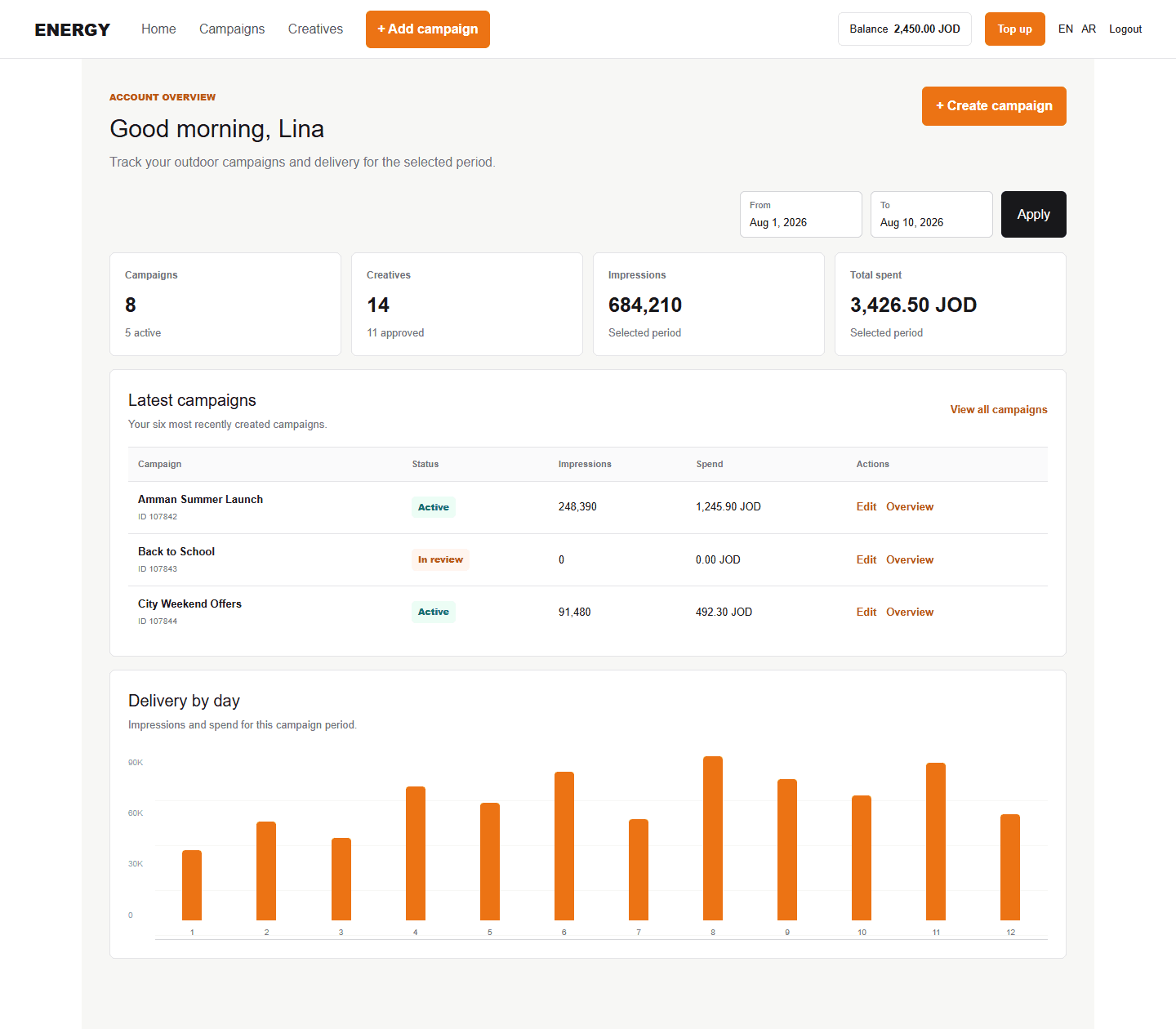
- Home: summary totals, daily chart, latest campaigns, and balance.
- Campaigns: the searchable, paginated list with Overview and Edit actions.
- Creatives: your asset library, upload flow, status, and preview.
- Add campaign: opens the campaign builder directly.
- Balance / Top up: shows advertiser balance and opens payment.
- EN / AR: changes the interface and supported notification language.
- Logout: ends the current session.
Understand statuses
Campaigns, ad sets, creatives, and the account each have their own status. One approved item does not automatically approve the others.
| Status meaning | What to do |
|---|---|
| Active / Approved | The item passed the applicable check. |
| Pending / In review | Wait for processing or administrator review. |
| Stopped | Open the overview or contact the administrator to confirm why. |
| Rejected | Read the rejection reason and correct the setup or asset. |
Reporting dates
Date fields control the data shown in totals, tables, and charts. They do not change campaign schedules. After changing dates, select Apply to refresh the page data.