
By default, an ad set can use all days and hours within its start and end dates. Use the day/time matrix only when delivery must be restricted.
Choose active periods
- Expand Day and Time range below the locations section.
- Use a day checkbox to select or clear all 24 hours for that day.
- Use individual cells for specific one-hour periods.
- Review the selected-hours total.
- Collapse the section after confirming the schedule.
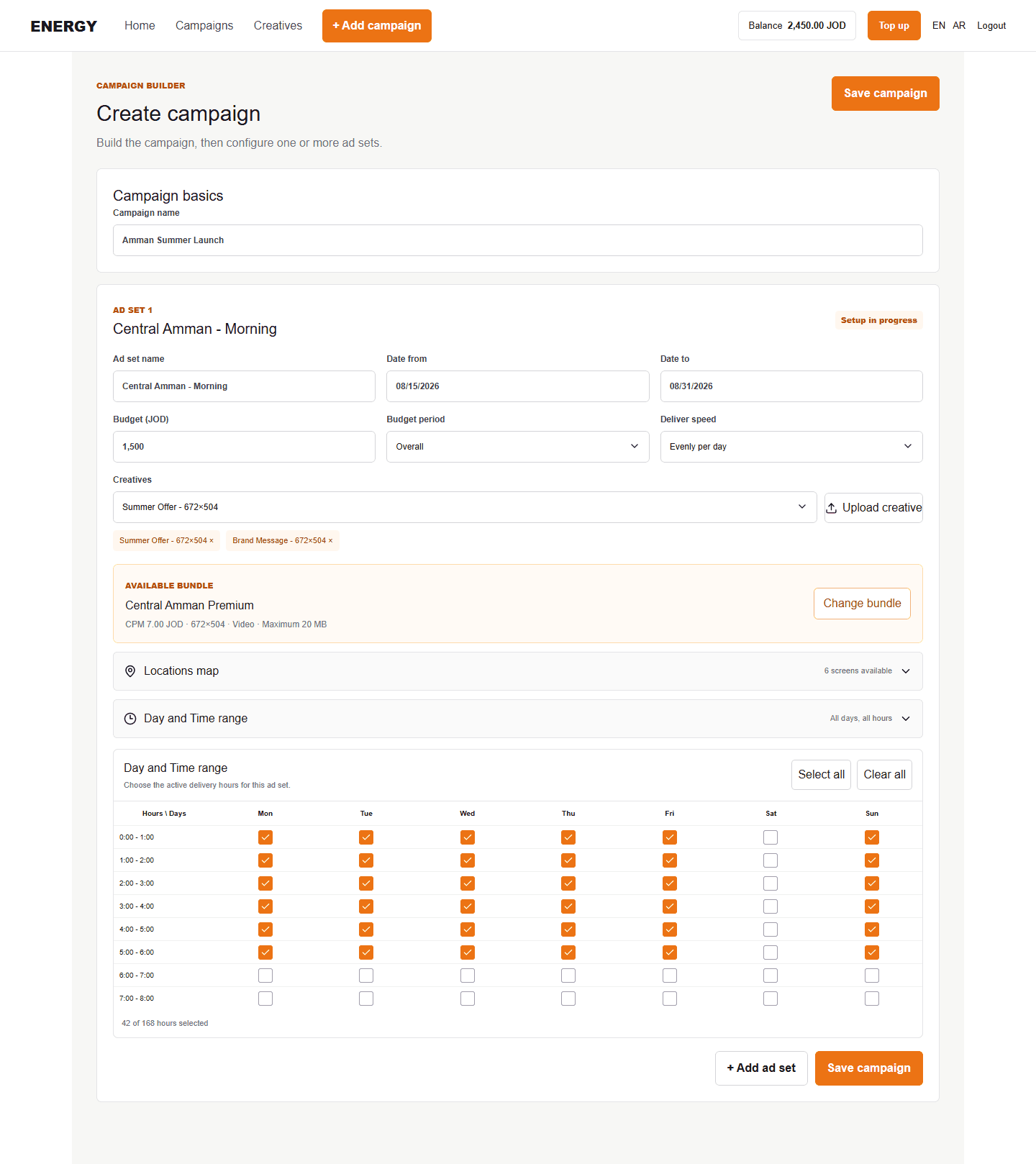
Each column represents Monday through Sunday. Each row represents one hour, such as 09:00–10:00.
Editing an existing schedule
Open campaign Edit, expand the matrix for the correct ad set, make the change, then save. The updated schedule can require another operational review.