
An ad set is the delivery plan inside a campaign. One campaign can contain several ad sets.
Complete the main fields
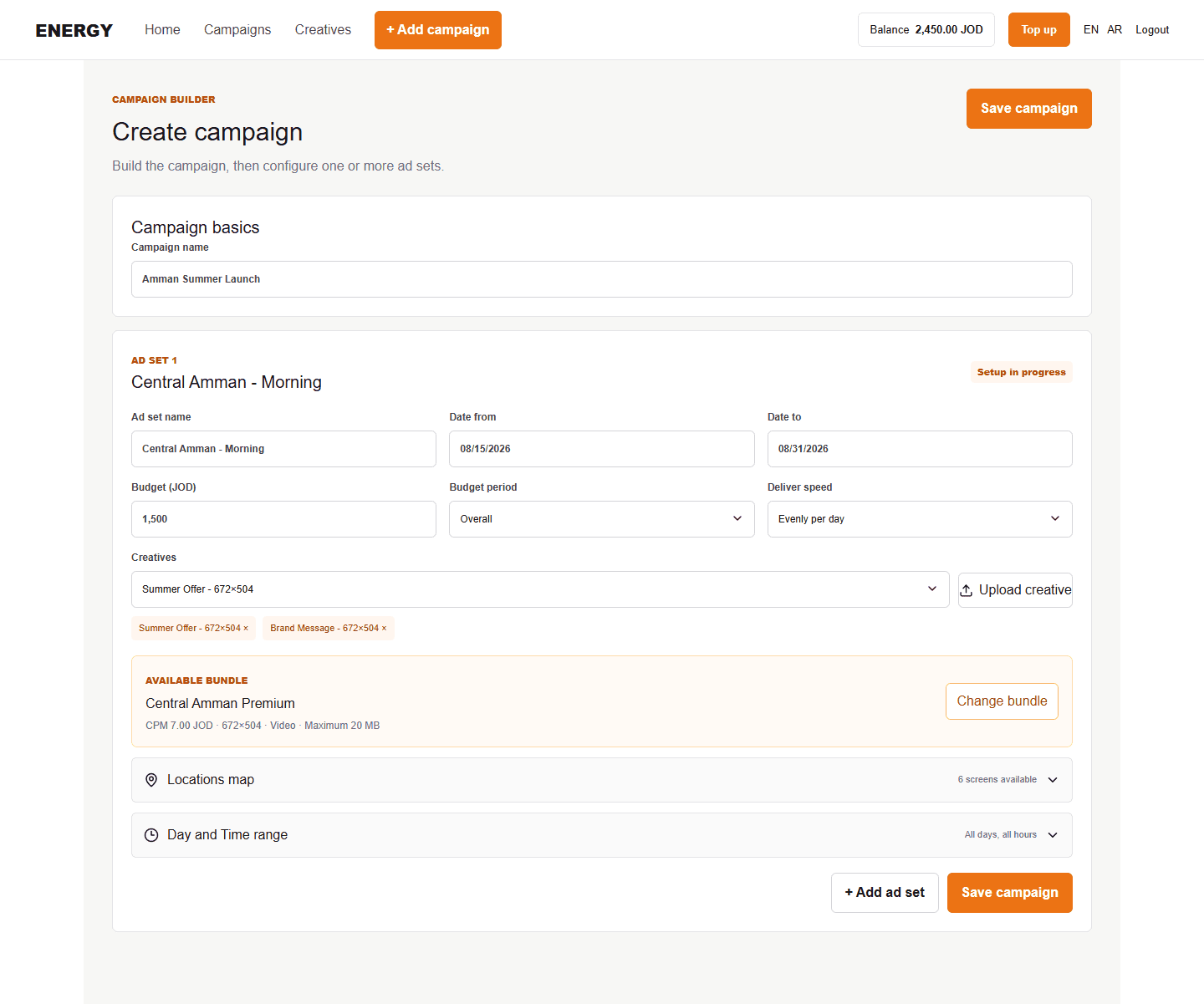
- Enter a distinct Ad set name.
- Choose Date from and Date to.
- Enter the budget in JOD.
- Choose Overall for one limit across the schedule or Daily for a daily limit.
- Choose Evenly per day or ASAP as the delivery speed.
- Select a bundle. This sets the CPM and screen type.
- Select one or more matching creatives.
Understand planned impressions
Energy estimates planned impressions from budget and CPM. It is a planning value, not guaranteed delivery. Actual impressions depend on available inventory and campaign delivery.
Add more ad sets
Select Add ad set below the current ad sets. Energy scrolls to the new section. Use another ad set when dates, budget, bundle, locations, delivery speed, or creatives should differ.